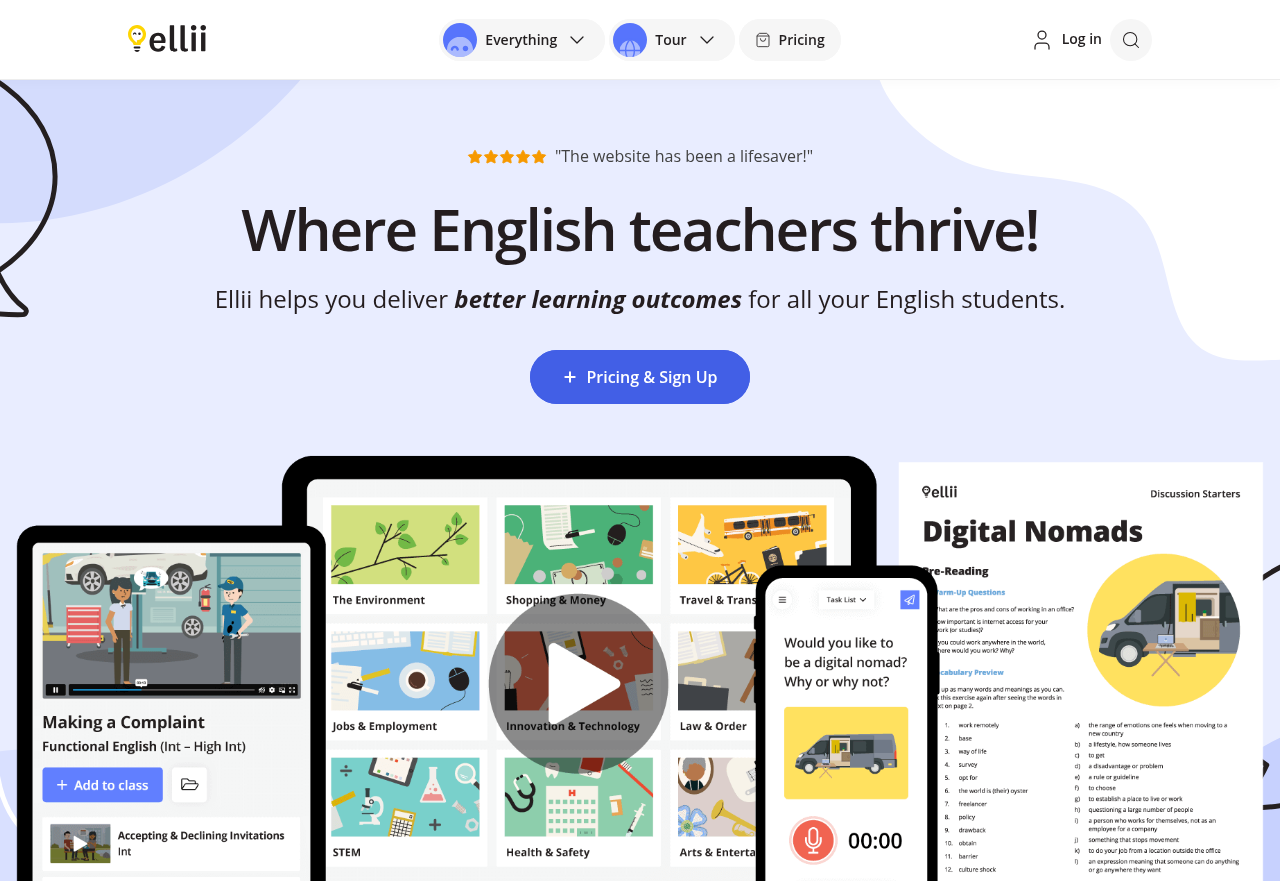
Ellii is a resource for English language teachers rather than a self-study app: teachers choose materials, use them in class or assign them online, and respond to student work. Its content covers grammar, vocabulary, functional English and discussion skills. It stands out for pairing a large bank of discussion lessons on current events and global issues with classroom tools such as a drag-and-drop lesson planner and a single inbox for grading open-ended work.
Who it is for
Ellii is aimed at teachers of English to young learners, teens and adults, with materials that range from literacy students to advanced learners. It suits teachers who want prepared content instead of building every lesson from scratch, such as those running conversation classes that rely on topical discussion or those teaching core grammar structures step by step. Teachers of children have a separate set of kid-friendly materials. Learners work with Ellii through the classes and accounts their teacher sets up, so it fits classroom and homework settings rather than independent study.
How it works
A teacher creates classes and student accounts in the Classroom Manager, then browses the lesson library and arranges materials into a curriculum in the Lesson Planner. Dragging a lesson into the planner's Teaching lane assigns it to the class as an in-class activity or homework. Lessons can also be presented or printed from a PDF viewer with annotation and sharing options. Students' open-ended answers arrive in one place for feedback, and reports show who has completed assignments and how students are progressing.
Key features
- Current-events lessons: Hundreds of lessons on current events and global issues are built to prompt participation, discussion and dialogue, giving speaking practice around topics students can relate to.
- Grammar and functional English: Materials cover structures such as modals of possibility, noun clauses, gerunds and infinitives, comparative adjectives and prepositions of time and place, helping learners build accuracy in a structured way.
- Lesson Planner: A Kanban-style board lets teachers set up a customized curriculum for each class and assign lessons by moving them into the Teaching lane, keeping planning and assigning in one step.
- Grade Feed: All open-ended submissions appear in a single inbox where teachers give star ratings, grades, and written or audio feedback, so students get regular comments on their work.
- Media Gallery: A collection of images and videos supports eliciting, teaching and reinforcing vocabulary and grammar, and can be used to spark interaction in class.
- Flashcard Editor and Player: Teachers can create and present flashcards for vocabulary review with their classes.
- Tracking Tools and Reports: Assignment completion reports and student progress data help teachers spot who needs follow-up and adjust their plans.